
User Management
Bulk Account Management
When you are setup as an organisation, you can easily delegate access to your staff. This requires an organisation Admin role.
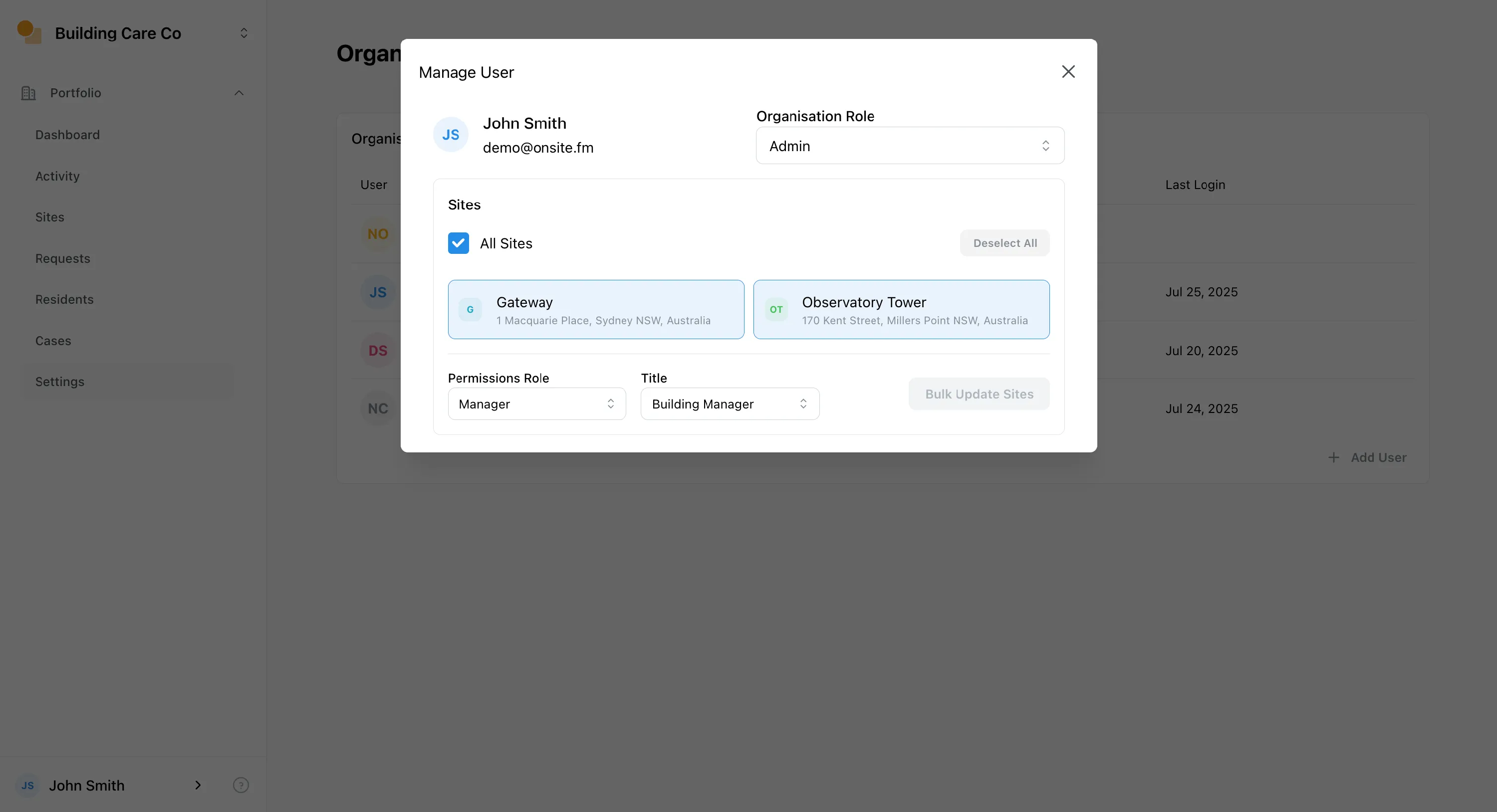
To manage a users sites, open Organisation Settings , then:
- Select the user you want to manage.
- Select the sites you want to assign to the user.
- Select the relevant role, and title, then click
Bulk Update Sites
SSO & SCIM
Onsite supports SSO, SAML, and SCIM. Please contact us to enable these features.
Google Workspace
For companies using the Google Workspace, we recommend using Sign In With Google. This allows your staff to use their Google credentials to access Onsite, which is a great user experience and improves security.
We are able to enforce this as a requirement on your domain.
Automatic enrolment in Organisation
Onsite can automatically enrol new users into your organisation, where their verified email matches a specific domain. Contact us to enable this feature.
Users are added with the Staff role.